

Excellent Trustpilot rating

Trusted NHS partner

Regulated pharmacy

Serving 2 million patients
Pharmacy2U was one of the first adopters of the electronic prescription service with the NHS, and we continue to provide a seamless process for everyone who has their prescriptions fulfilled by an NHS GP or pharmacy.
Our service is designed to be as convenient as possible for you, with an easy-to-navigate portal, free delivery, and a reduced need to travel to pick up your medicine. Here’s a guide to our electronic prescription service for all new users (and those who need a quick reminder!).
Before you begin - what you need to know
An electronic prescription is a convenient digital solution that replaces traditional paper prescriptions. It allows healthcare providers, like GPs, to send prescriptions straight to a pharmacy chosen by the patient.
The NHS Electronic Prescription Service (EPS) streamlines the process of obtaining and collecting medications, making it easier for both patients and healthcare professionals by eliminating the need for printed paperwork. Patients simply select their preferred pharmacy, and their prescriptions are dispatched there electronically.
You can find out more about the specifics in our guide to the electronic prescription service.
To qualify for the Electronic Prescription Service (EPS), your GP practice in England or Wales needs to be part of the service, and you'll need to pick a pharmacy or dispensing appliance contractor (DAC) to receive your prescriptions.
The best way to find out if you’re eligible is to have a chat with your GP or pharmacist. They can help confirm their involvement in the EPS and assist you in setting up an electronic nomination. Using the EPS means you can say goodbye to paper prescriptions and enjoy a hassle-free experience. You can also choose a pharmacy or DAC that’s convenient for you.
You can change your nominated pharmacy using the NHS app or website by logging in, going to the “Your health” section, and selecting “View and manage prescriptions”. From there, you’ll see your current pharmacy and can select the option to change it, following the on-screen instructions to find and select a new one.
If you prefer, you can tell your GP surgery directly that you wish to change your pharmacy, or visit any pharmacy that offers the EPS and ask them to add your nomination for you.
You can change or cancel your nominated pharmacy at any time, but it’s best to do this before your next prescription is due, so it doesn’t get sent to the wrong place. If you want to use an online pharmacy like Pharmacy2U, you’ll need to register on our website first.
Setting up your account and nominating Pharmacy2U
Getting started with Pharmacy2U is simple. You’ll need to create an account online by adding some basic details about yourself, including your name, date of birth, and GP surgery. You can also add the medicines you’re prescribed. While it isn’t essential to provide your NHS number, including it can make the process quicker and help us match your details with your NHS records more smoothly. If you sign up online or through the app, your account will be activated straight away, and your email address will be your username.
Once your account is set up, the next step is to nominate Pharmacy2U as your chosen pharmacy. This means your prescriptions will be sent to us electronically, so we can dispense and deliver them to you. You can do this directly through the NHS app or website, or by letting your GP surgery know. If you’d prefer, you can also speak to us, and we’ll guide you through the process.
When you register, we’ll work with your GP to confirm your details and make sure everything matches up correctly. Having the right information, like your GP details and date of birth, really helps us get this right the first time. Once that’s complete, you’ll be ready to order your prescriptions without any delays.
Placing your first e-prescription order with P2U
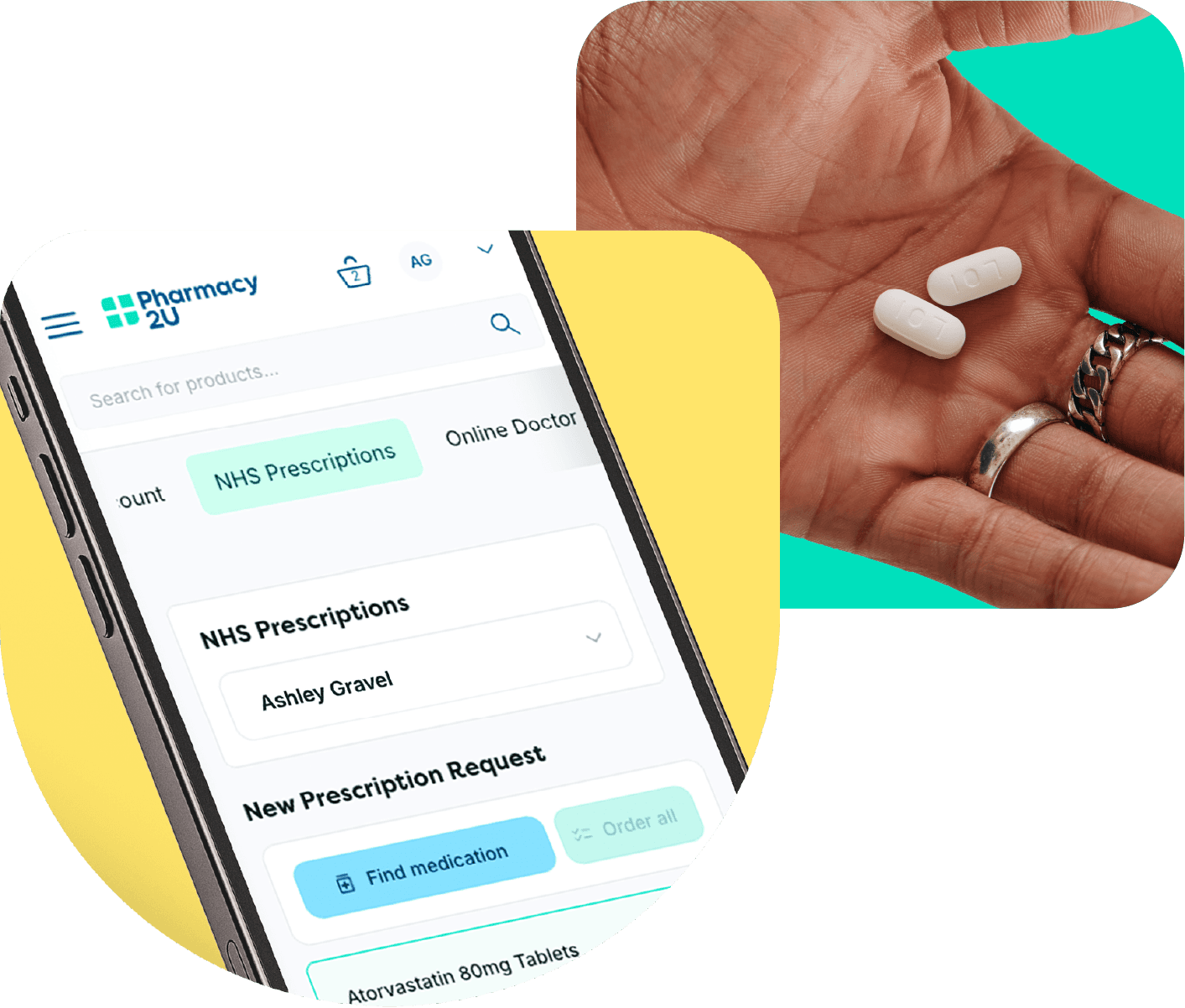
Ordering your medicine online is straightforward. If you’re using the website, log in to your account, go to the “Prescriptions” section, and add the medicines you take. You’ll then be able to choose which items you’d like to order, select your delivery date, and confirm your request. On the app, the process is just as easy: tap “Order Medication,” pick your items, check your delivery address, and place your order. We recommend ordering at least 10 working days before you need your medicine to allow plenty of time for GP approval and delivery.
After you’ve placed your order, we’ll contact your GP electronically through the NHS system to request approval for your prescription. Your GP reviews and authorises it in the same way they would if you’d ordered through the surgery. Once it’s approved, the prescription is sent directly to us to be dispensed and delivered to you.
How to switch pharmacy to Pharmacy2U
Switching your prescriptions to Pharmacy2U is simple and only takes a few minutes. You can sign up online and nominate Pharmacy2U as your chosen NHS pharmacy. Once you’ve done this, we’ll contact your GP to confirm your prescriptions and arrange delivery directly to your home. There’s no need to inform your old pharmacy yourself because everything is handled for you.
What happens if things go wrong?
Sometimes, your GP may need to check something before issuing your prescription, such as your dosage, a recent review, or how you’re getting on with your medication. If this happens, they may decline the request or contact you directly to discuss it. Don’t worry, nothing is sent out until your GP gives their approval, and we’ll keep you updated if there’s a delay.
Occasionally, your medicine may take a little longer to arrive than expected. This could be due to postal delays, busy periods, or the need to source stock. We’ll always keep you updated with tracking information so you know where your order is, and you can contact us if you’re concerned. To avoid running low, we recommend ordering your repeat prescriptions around 7–10 days before you’re due to run out.
If your medicine is unavailable, our pharmacists will review your prescription and, if needed, speak with your GP about safe alternatives. Any substitution is only made once your GP approves it, so you can be confident that the alternative is suitable for you. If a change is agreed, we’ll explain what has been prescribed and ensure you’re kept informed throughout the process.
If you’re worried that you might run out before your next order arrives, let us know straight away. Our team can check the status of your prescription and, where possible, speed things up. If your medicine is urgent, we may advise you to contact your GP directly for an emergency prescription to collect locally. Planning ahead and placing your order in good time helps reduce the risk of this happening.
You can find the answers to more questions on our FAQs page.

Tips and best practices
Set reminders to order your prescription early
Use the Pharmacy2U app for automated updates
Keep your GP’s contact details handy
Check that your nominated pharmacy is correct
Order early if you have travel or holidays planned
What our patients say


Rated excellent with 400,000+ reviews as of October 2023
Worry free service
This service has taken all the worry out of ordering repeat perscriptions. They remind you when perscriptions are due & they are posted & within a couple of days they are there on your door mat. Exemplary service. Thank you.
Hester Pendino

Great service
Great service. With good liaison with my GP. And order always efficiently delivered. So much easier than queueing at the local chemist. I started using Pharmacy2U during the pandemic and no turning back.
Hilary Simpson
The help line staff were excellent
The help line staff were excellent, they understood my issue straightaway, told me they would need to speak to a line manager and would get back to me. The same person got back to me later in the day with an answer, issue resolved
Linda Lauren

Great user friendly service
This is a very easy service to use.
I order my medication online from the drs it goes straight through to Pharmacy2U they confirm they have received it and it is sent out for delivery. With emails keeping me informed of its status all along the way.Neil Etheridge
I get reminders when I need to order
I get reminders when I need to order. It is easy to order and I get updates to let me know how my order is progressing. Within a very short time it is put out for delivery. It is then up to Royal Mail to post it through my letterbox.
Janet Tittensor
Losing the monthly stress
Being able to request my prescription from the doctors and knowing that the items I require will be delivered to my door without delay. Originally I would go to the pharmacy after a 5 day wait to find that my prescription was not ready, so thank you for making my life easier.
Pat Cruttenden
Excellent service
Excellent service. Timely as ever. Prompted by P2U to re-order. From sending order to receipt was 7 days. Excellent as it includes GP’s approval sign off.
Ceijag